


If you are looking to develop a custom BPMN modeling application that can operate cross-platform from within a web browser – whether you are creating a custom modeling interface from scratch or embarking on a project to migrate a desktop BPMN application to the cloud – then you probably already know about JointJS and bpmn-js, the two leading JavaScript libraries for BPMN diagramming on the Web. This article will help you decide which one of these two libraries is the correct choice for your project, based on our evaluation of six areas: Licensing, performance, community and support, feature richness, diagramming flexibility, documentation and demos.
Note that this article assumes that you have already considered the alternatives – vendor-provided solutions (like Camunda Modeler or Flowable Design on one hand), and completely custom development on the other – and decided against them. If you are not yet convinced that using a BPMN diagramming library is the correct way to go for your project, we discuss these topics in separate articles:
Both JointJS and bpmn-js take care of the basic infrastructure of your app (i.e. things like embedding your diagram into the webpage, user interactivity, graph data model, export/import BPMN 2.0 XML files, ability to add custom shapes) while providing the flexibility to dive in and customize whatever you need. Modeling tools built on top of either library can be used with any BPMN execution engine in the backend (though bpmn-js may optionally assume Camunda-specific defaults).
JointJS started in 2010 and bpmn-js started in 2014, so both libraries are mature solutions which continue to evolve to respond to developer needs – JointJS is used in a wide variety of BPMN and general diagramming applications, while bpmn-js is used as the basis of popular commercial BPMN products by Camunda. Both libraries support JavaScript and TypeScript, and integrate with popular web development frameworks including React, Vue, Angular and Svelte.
Let's dive in!
The biggest difference between JointJS and bpmn-js comes from their licensing models, which impose different restrictions on different kinds of projects. In this way, the two libraries occupy separate niches in the custom BPMN modeling space.
While bpmn-js is open-source, it comes with the caveat that its license requires an attribution logo to always be visible in your application: "The source code responsible for displaying the bpmn.io project watermark that links back to https://bpmn.io as part of rendered diagrams MUST NOT be removed or changed. When this software is being used in a website or application, the watermark must stay fully visible and not visually overlapped by other elements." Unusually, there seems to be no way around this requirement. Even though several potential enterprise consumers of the library have asked for an exception or a re-licensing deal to get around this constraint, to our knowledge such a request has never been granted by the bpmn-js team.
Meanwhile, JointJS employs an open-core business model – the basic diagramming functionality is provided as a free and open-source package while advanced features (including BPMN functionality) require the purchase of a commercial license (called JointJS+). To preview the BPMN functionality of JointJS, you can sign up for a free trial of JointJS+ and use our BPMN Editor boilerplate application as a starting point for your own prototype.
Although we have more things to say, the correct library for your project may already be clear:
Table 1
Both JointJS and bpmn-js use SVG rendering, which means that all diagram elements are present in the webpage DOM, and as such can be easily inspected, debugged, and tested in browsers' developer tools. This feature of SVG also provides a basic level of accessibility, and enables you to style your diagrams via standard CSS.
Despite these advantages of SVG over alternative technologies (such as HTML Canvas), a commonly-cited doubt developers have about SVG is whether it can handle large numbers of diagram elements at once: "But what if my diagrams get huge?" The topic is often reduced to a one-liner such as "If you want to render 10,000 elements, use Canvas!" However, this is an overly pessimistic view – as we explain in our SVG versus Canvas article, there are multiple ways to optimize SVG performance, and JointJS takes full advantage of those.
JointJS offers advanced virtual rendering and view management functionality that only renders diagram elements when they are visible to the user. Thanks to these built-in features, our Performance overview example is able to handle 100,000 SVG elements at a time without performance degradation.
Meanwhile, bpmn-js offers no virtualization functionality and its performance suffers in large diagrams (i.e. diagrams with more than around 500 elements), confirming that SVG optimizations are necessary for performance.
SVG rendering presents distinct advantages compared to alternative rendering technologies, with the caveat that to preserve performance, the number of elements shown at one time needs to be carefully managed. While JointJS offers this functionality out-of-the-box, bpmn-js does not. Therefore, if large-diagram performance is a concern for you, you should choose JointJS as the basis for your BPMN modeling tool.
Table 2
Both JointJS and bpmn-js offer free support through public channels with an active community – JointJS's primary support hub is GitHub Discussions, and for bpmn-js it is the BPMN.io forum.
On top of that, JointJS offers optional paid support subscriptions, which provide direct private access to library developers via teleconferencing, email, and a ticketing system with short response times. These can be of use for your development if you work in a sensitive domain and you need your code handled privately – or if time is of the essence and you cannot afford to wait for help from members of the community whose knowledge of the codebase may be outdated or inaccurate. Enterprise customers, especially, appreciate how JointJS support allows them to deliver ambitious work quickly:
The JointJS team has helped us through some of our most difficult requirements to deliver a top-notch product for our customer. Their development team goes above and beyond to assist with questions and is very responsive. I highly recommend both their product and their support package!
No support subscriptions are available for bpmn-js – it is a completely non-commercial library. However, this means that your decision to use it comes with two implicit tradeoffs which cannot be mitigated – your team may need to wait longer for support, and the quality of the support may be inconsistent. An additional subtle risk of relying on a completely non-commercial library is a question of motivation. Such a library is, by definition, not the main revenue source of the people maintaining it, and therefore, the priorities of the maintainers may unexpectedly shift away from supporting it, leaving the library's dependents scrambling for a replacement (as has happened with mxGraph in 2020). If relying on free support is not enough for your team – if you need to handle your code privately, or if you need predictable response times and quality – then JointJS is a better choice than bpmn-js. Since its support is provided directly by the creators of the library with no middle man, you can rely on their deep knowledge of the codebase to get your team unblocked quicker than if you had to rely on the support of community members (however helpful those may be).
How do the two libraries compare in terms of features? They both provide basic diagram functionality (including the ability to add nodes, edges, edge labels, custom highlighters, and custom node/edge tools) and basic reusable UI components like element palette, property editor and viewer, snaplines, minimap, and toolbar. JointJS additionally supports node ports and automatic smart edge routing, and extra UI components including context menu, tooltip, and inline rich text editor.
We needed to make some tweaks like customizing the connections of the elements - our requirement was to have custom routing and sophisticated layering of connections which required logical connections spanning several physical connections. Here we could always count on JointJS+ together with their great support.
Bartek
Senior Software Engineer at ConSol
When it comes to basic control interactions, both libraries implement drag and drop, scroll/zoom/pan, undo/redo, and copy/paste, plus they both support adding custom keyboard shortcuts. One notable omission of bpmn-js is the lack of built-in touch interaction support – removed in a recent release due to "bug reports piling up but limited incentives for us to invest" – which has implications for applications that need to support mobile/tablet interfaces.
Both libraries allow you to export/import standards-compliant BPMN 2.0 XML files, and also make it possible for you to save your diagrams as SVG or PNG. JointJS additionally provides extra output functionality including printing and slideshow tools, as well as the ability to export to JPEG and HTML Canvas.
Access to JointJS+ BPMN demo source code and very good documentation is outstanding in the market. We saved many hours and trouble thanks to easy debugging and well-written code, with an easy-to-understand structure and naming.
Finally, while bpmn-js offers only limited auto-arrange functionality and expects consumers to rely mostly on manual drag-and-drop positioning of diagram elements, JointJS offers a wide selection of automatic graph layout algorithms out-of-the-box. You can leverage these to help your non-expert users produce neatly organized BPMN diagrams with a single click – or you can let a layout algorithm take the driving wheel and disable free drag-and-drop entirely, turning your application into a click-to-add experience (as illustrated in our Workflow Builder application). Obviously, an automatic layout is also required whenever you need to create a BPMN diagram without being given any x,y element positioning coordinates, which can be useful in automated environments (e.g. compliance document generation).
Overall, JointJS is the more comprehensive library of the two. Developers of custom BPMN modeling tools on top of bpmn-js will probably find themselves building and maintaining a lot of functionality which they would get out-of-the-box if they chose JointJS instead. This may end up making bpmn-js the more costly choice in the long run in spite of the library itself being free.
As a general-purpose diagramming library, JointJS also has several advantages by virtue of not being constrained by the BPMN domain in the same way bpmn-js is.
First, the custom shape system of JointJS is flexible enough to support shapes with any SVG or HTML markup. This makes it possible to implement advanced behaviors that bpmn-js does not support natively, such as:
Second, JointJS comes with a library of VSM shapes and the functionality to export/import Visio VSDX archives, which is useful in situations where your application needs to act as a bridge between different domains or file formats. For example, ingesting a BPMN process from a Visio archive, letting the user edit it, and exporting it back as a Visio archive – or presenting a single process as a value stream map or as a BPMN process depending on the target audience.
It was flexibility and compatibility with other technologies that influenced us most. We needed to come up with some custom solutions as not everything from JointJS+ served our purpose out of the box, but it never became a blocker for us.
If your application needs to bend the rules of BPMN in any way – whether it is to make working with diagram elements more intuitive or to support a cross-domain use case – JointJS's flexibility makes it the clear choice for your development. This flexibility is a good insurance policy for real-world development scenarios, too. Consider the number of times a project started off as one thing and morphed into something completely by the end of development – even if you think your project will be a straightforward BPMN tool, if there is any uncertainty about the eventual scope, then choosing the option that lets you mix-and-match functionality is the safer way to proceed.
Which library is more accessible to developers in the form of documentation and code examples? After all, if you find yourself needing to implement custom functionality (whether manually or with the assistance of an AI model), the task will be much more manageable if you have a solid foundation on which you can build your solution. The less you need to figure out along the way, the less chance there is of choosing the wrong path.
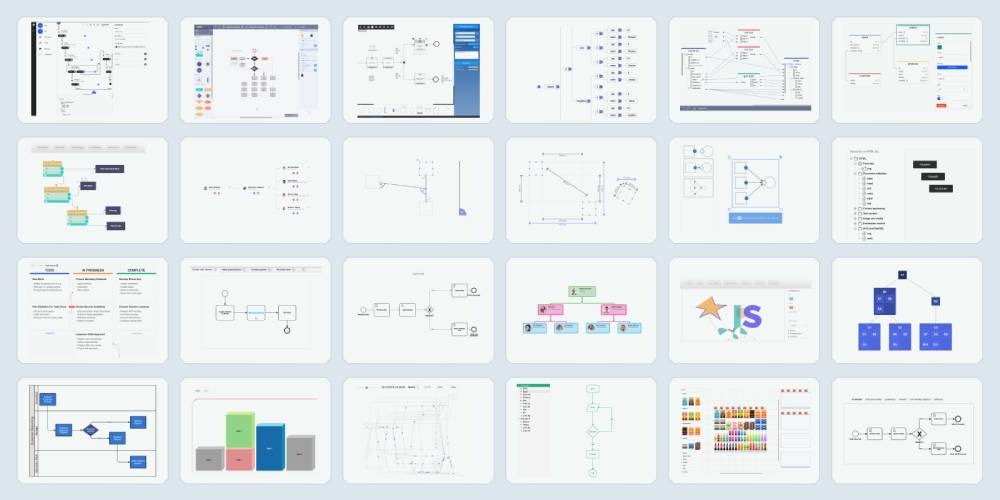
JointJS has a large collection of 180+ demos and boilerplate applications, comprehensive documentation, and detailed API reference. It also provides an MCP server for streamlined LLM development. Together, these resources provide knowledge that meets you wherever you are – zoomed out when you need to get started quickly, broad when you are looking for a feature that fulfills a requirement, and in-depth when you need to debug an issue.
JointJS+ was the perfect tool for our needs. By far the best drag and drop diagramming tool out there. JointJS+ has the feature set, flexibility, and documentation that allowed us to accelerate the development of our Visual Call Flow Designer 10x.
In comparison to JointJS, bpmn-js offers very little help in the form of documentation, demos, or tutorials – a single walkthrough page, a handful of examples, and a few setup guides. The library relies mostly on the BPMN.io forum for community assistance.
When implementing custom functionality, having a variety of sources of information can be a valuable asset. The knowledge resources offered by JointJS are both more varied and more in-depth than those offered by bpmn-js, which makes them more useful for real-world development. The more your developers can learn on their own without waiting for an answer from support, the more efficiently they can work and the more predictably you can plan your team's progress.

So, which of the two leading JavaScript libraries for creating custom BPMN modeling tools should you choose? JointJS offers more functionality than bpmn-js – at the cost of being a commercial library. It offers complete control over the UI, better performance in larger diagrams, a richer and more flexible feature set, and better developer experience.
Here is a side-by-side comparison of the features of JointJS and bpmn-js we discussed in the article:
Thank you for investing several minutes of your time to research which one of the two leading BPMN diagramming libraries would better suit your needs. Since you were so thorough with your exploration, we would like to extend to you an invitation to our no-commitment 30-day trial of JointJS+. It will allow you to experience the BPMN features of JointJS for yourself and explore how the library can be seamlessly integrated with your project.
Happy diagramming!







.png)


